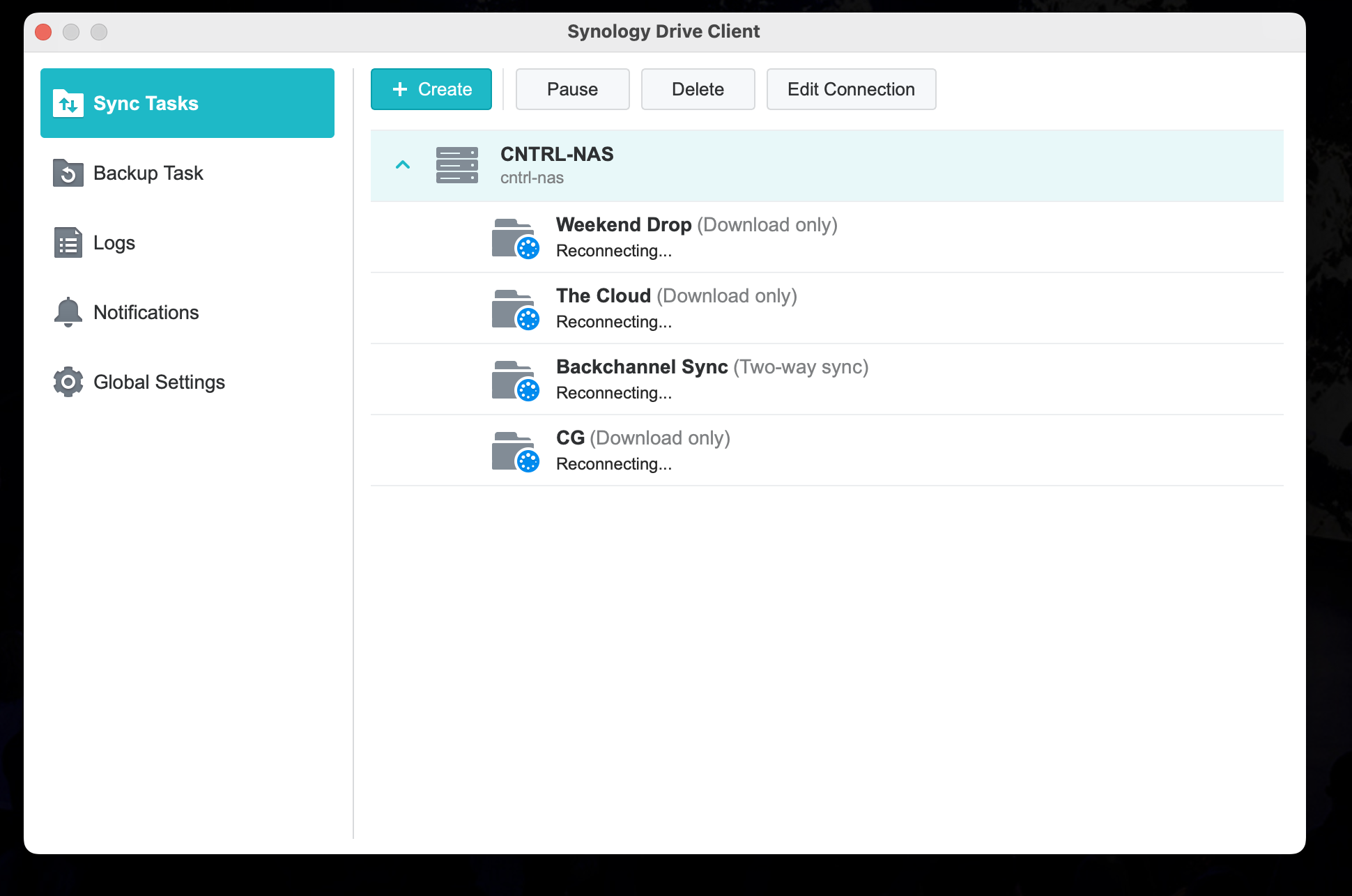
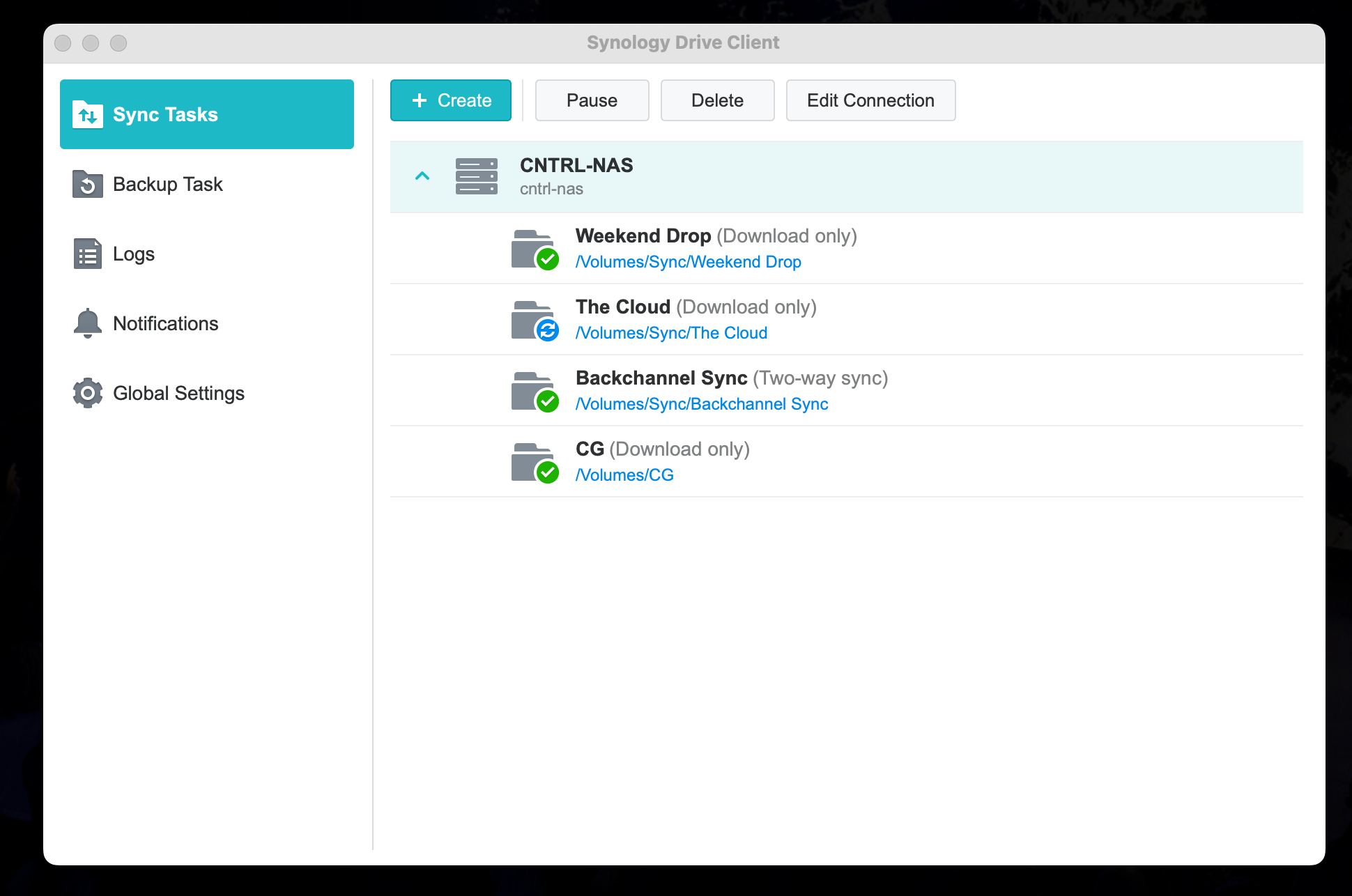
Here’s a quick guide if the campus sync isn’t syncing.
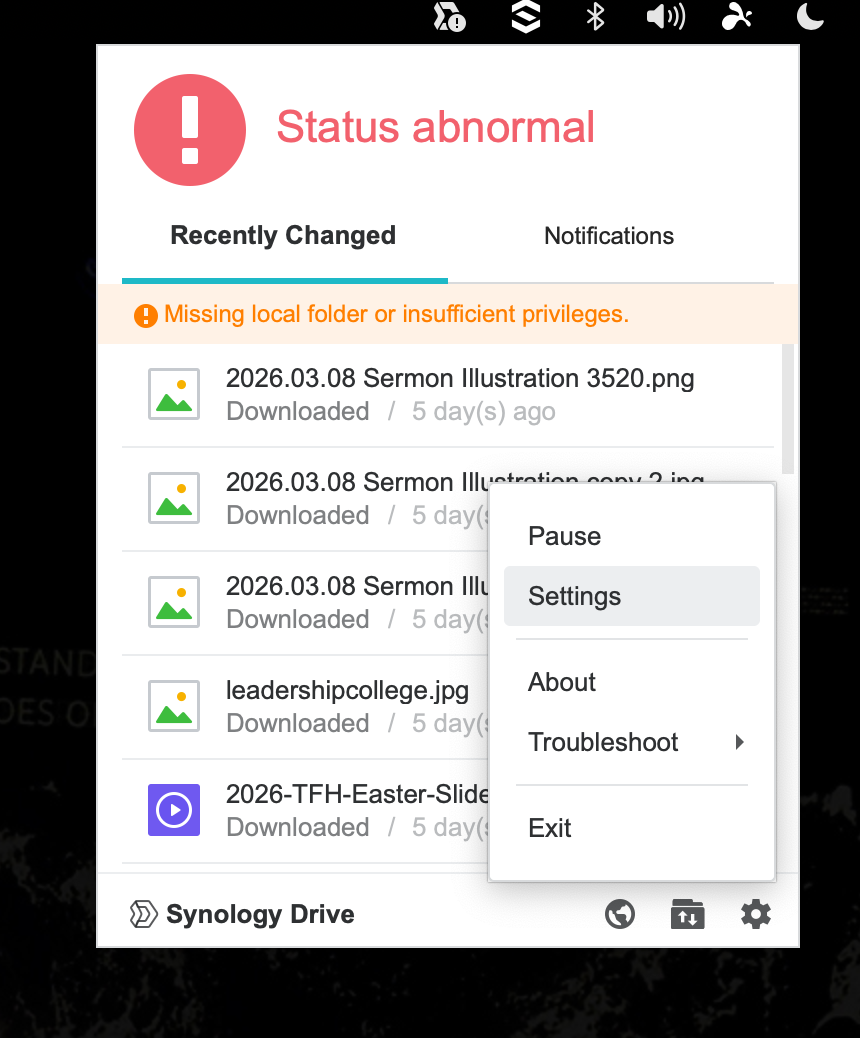
1. Check the icon in the upper right mac top bar. If there is an exclamation point the drive isn’t syncing.
Click the icon
Click settings
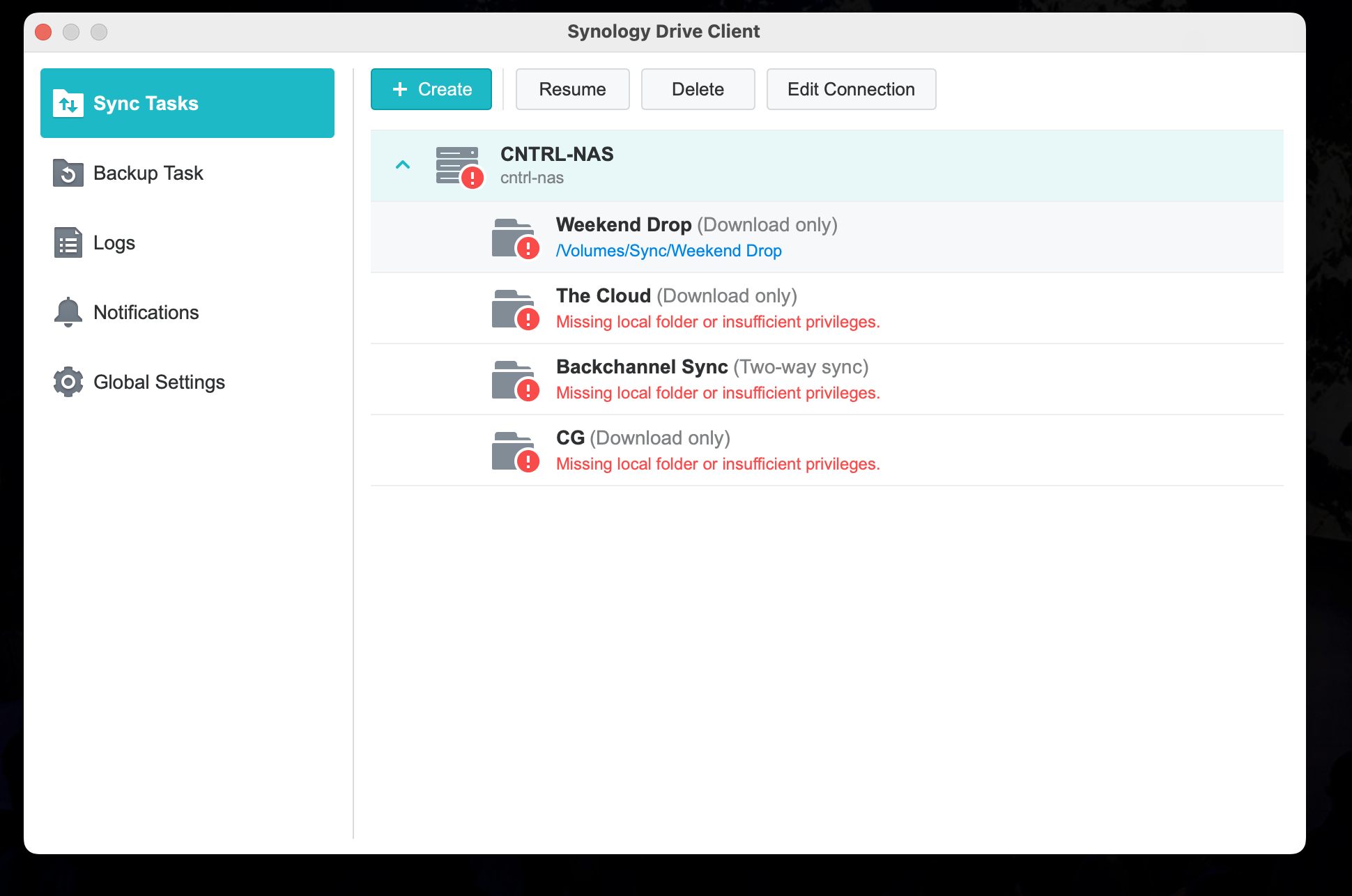
2. The Synology Client Drive Client Window
Highlight “CNTRL-NAS”
Click “Resume”
3. Client will start syncing
This window will pop ip and show reconnecting