

Planning Center
MULTITRACKS + PLANNING CENTER
Planning Center
MULTITRACKS + PLANNING CENTER
PCO Integration
Multitracks Playback + PCO integration will auto import and update PCO plans into our MT tracks account.
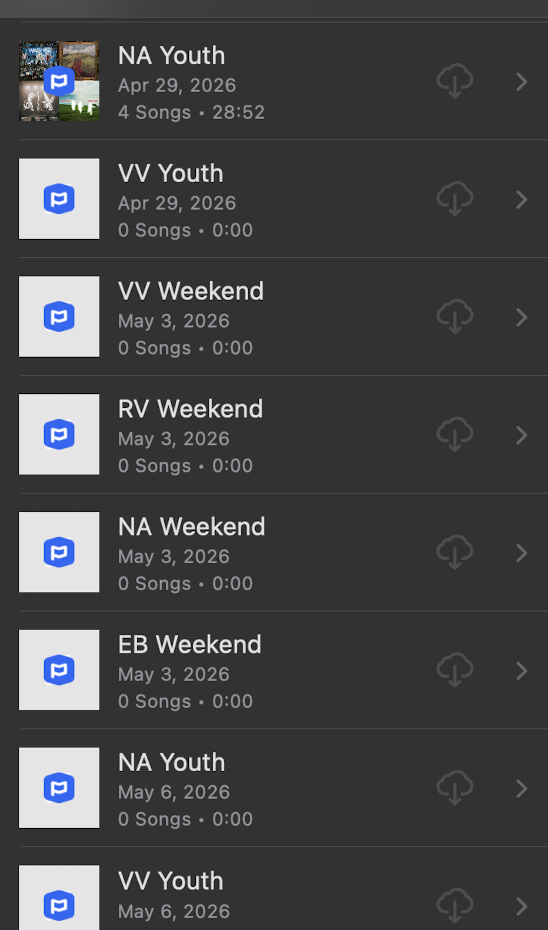
If we DON’T label plans in PCO, then every setlist will be labeled as “Service + Date”, with no dilineation between campus or service type (i.e. VV, RV, Weekend, Youth, Pursuit., etc)
In order for PCO + Multitracks integration to work “FOR US”, each Plan Type NEEDs a “Plan Title”
Plan Title should ALWAYS be “CAMPUS + Service”
i.e.
VV Weekend
NA Weekend
VV Youth
NA Youth
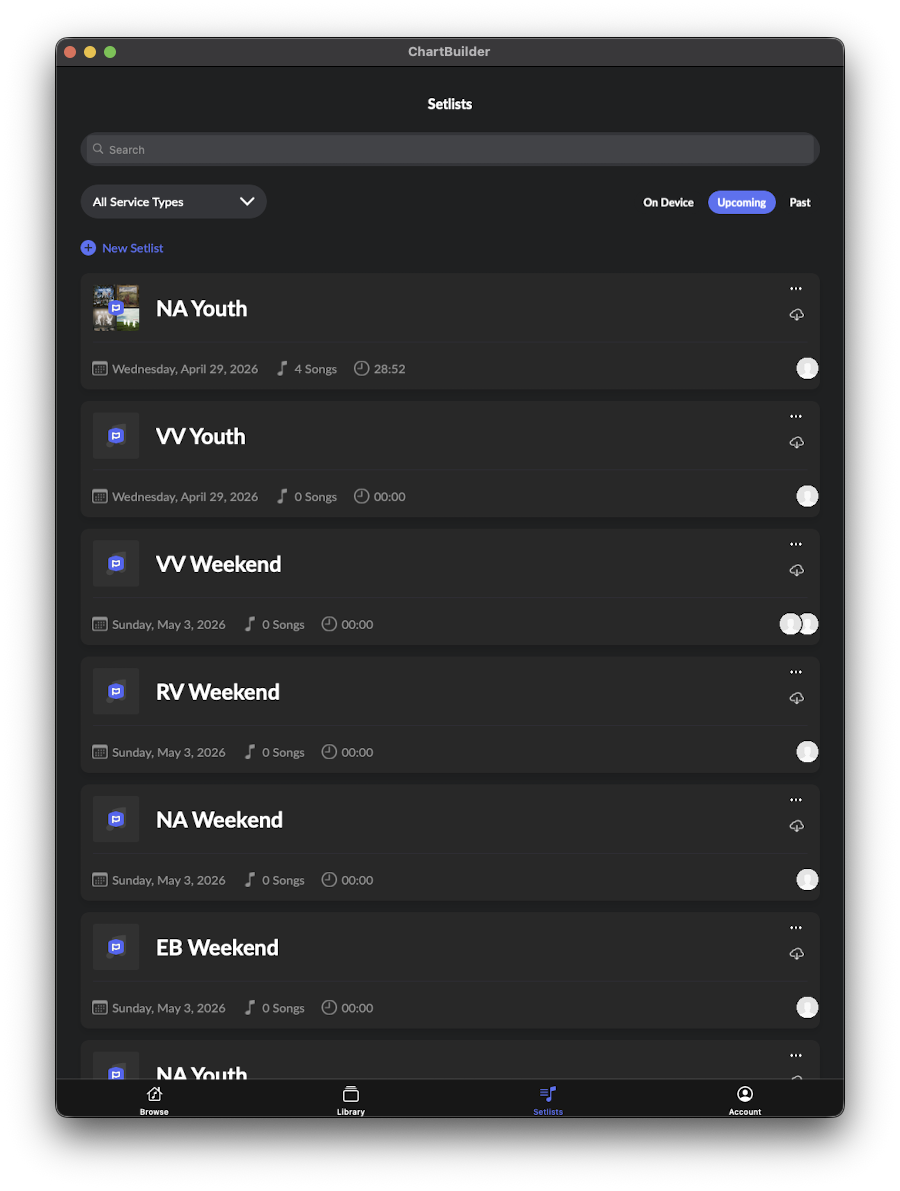
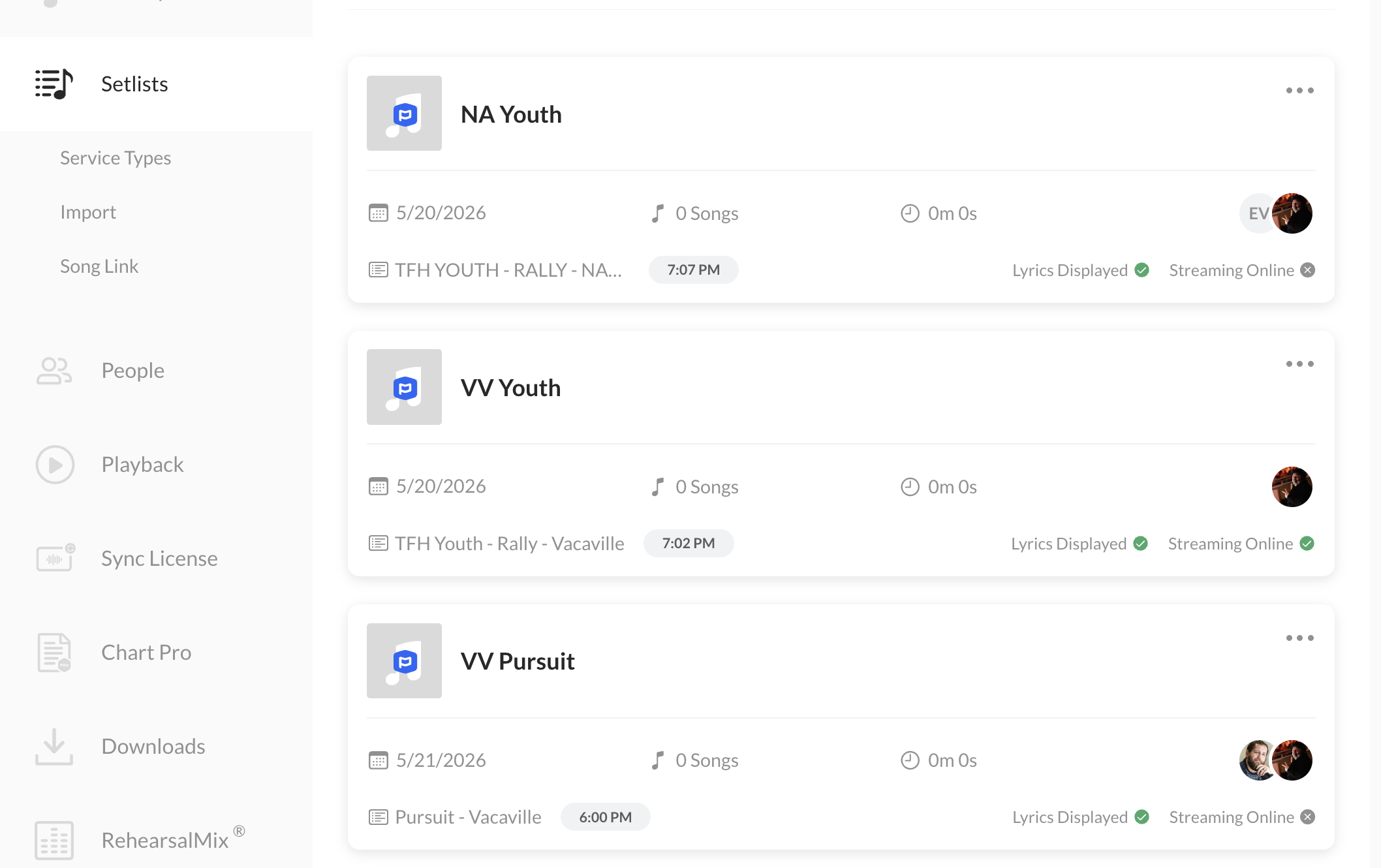
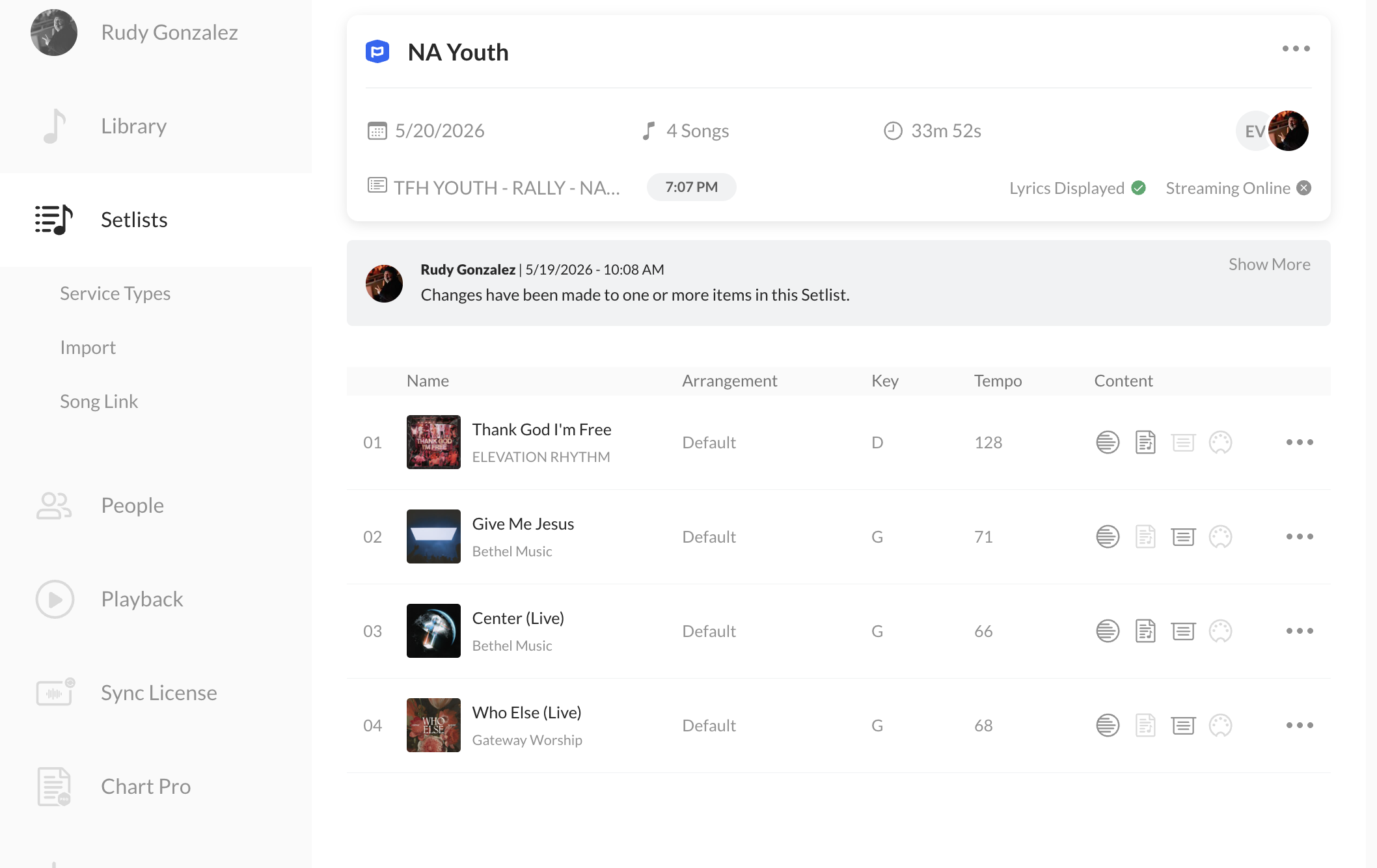
PCO Plans will look like this:
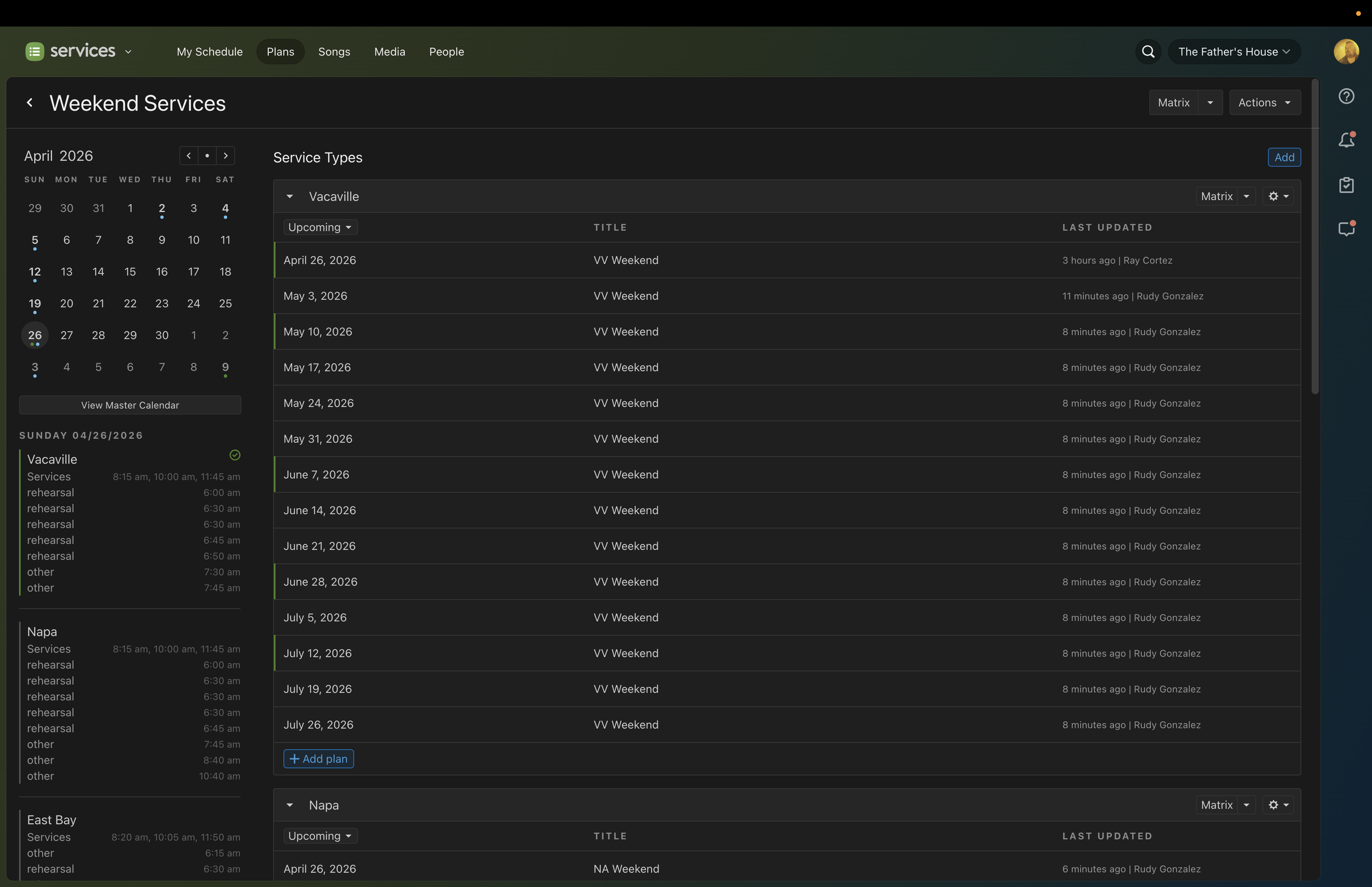
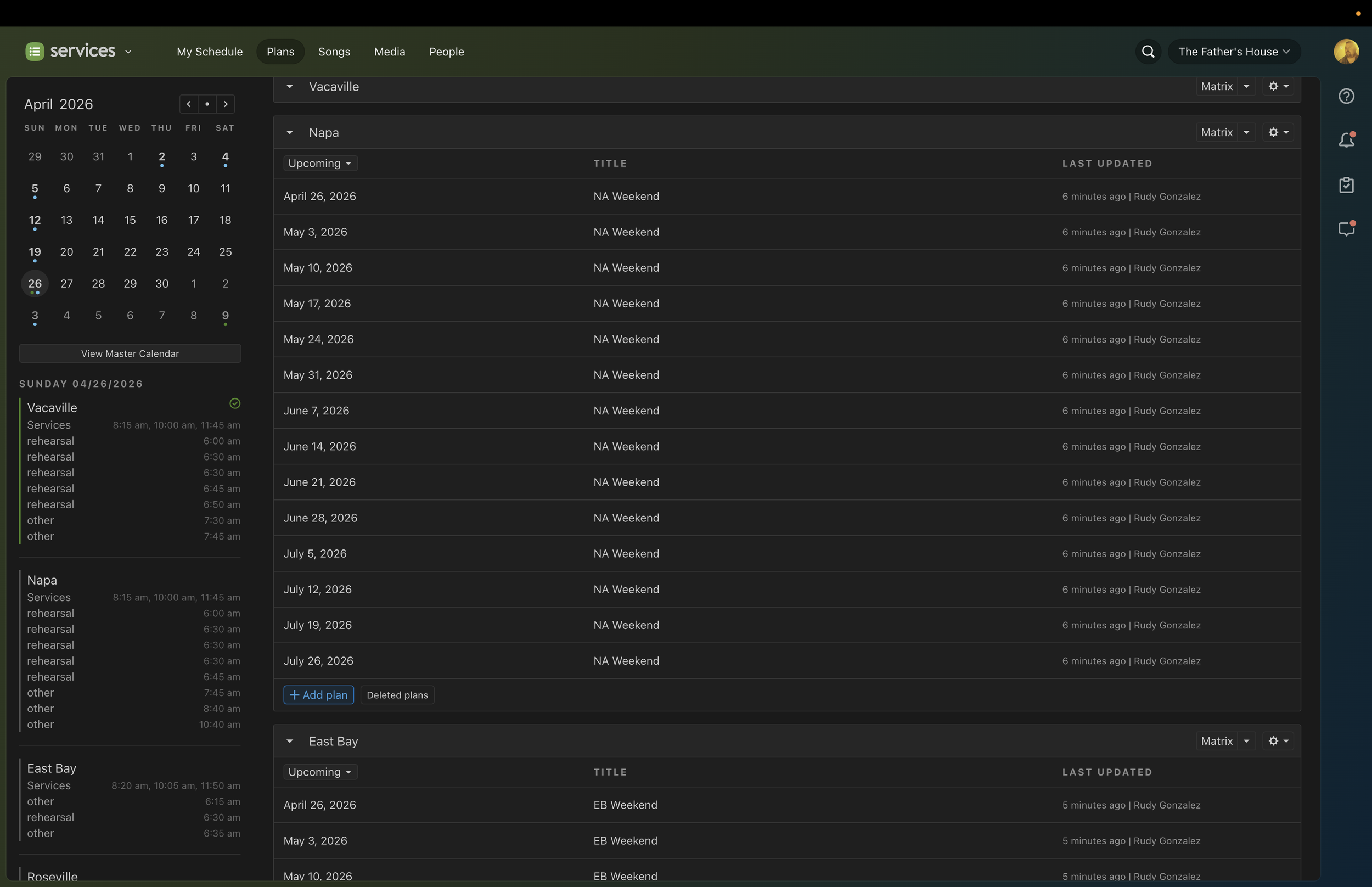
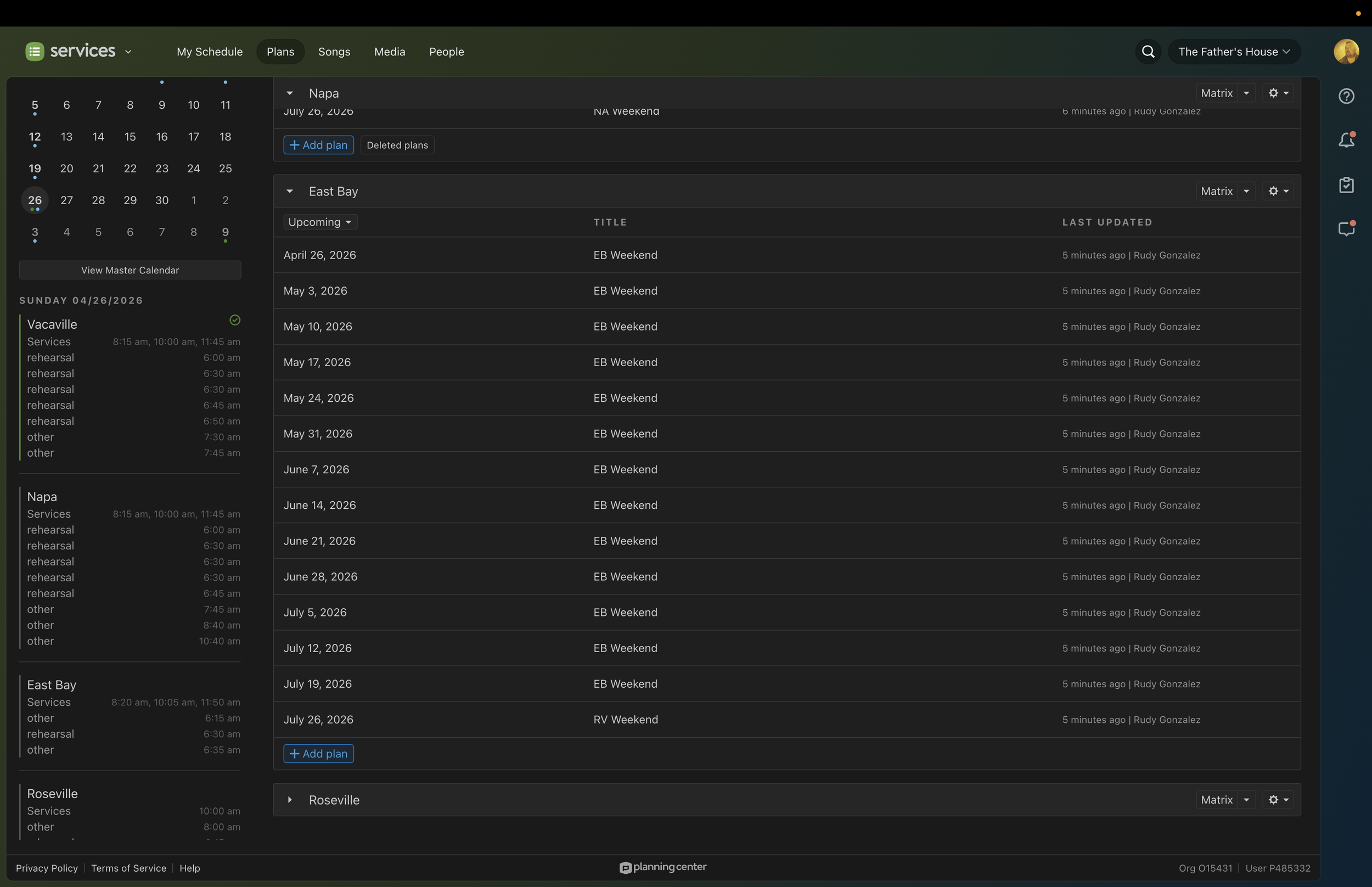
This will help Worship Pastors, Worship Leader/Directors, Music Directors, and drummers more easily locate and load service types in the playback app every week,
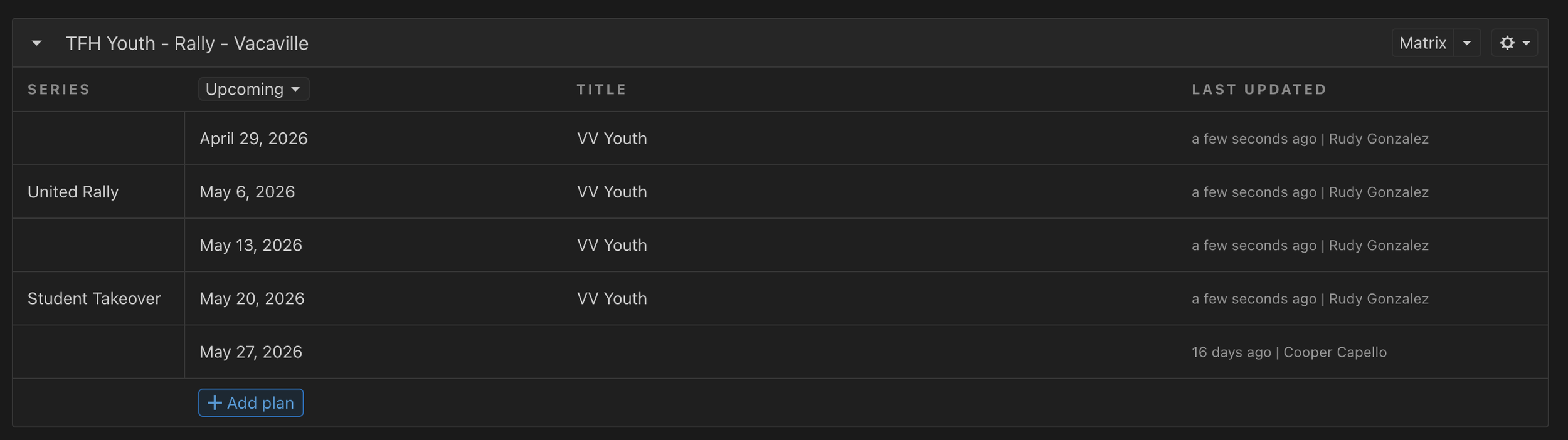
Special Dates in PCO
There will be times where we want to note special dates in PCO, (i.e. Baptize America, United Rally, Student Takeover). These will be in the “Series Title)
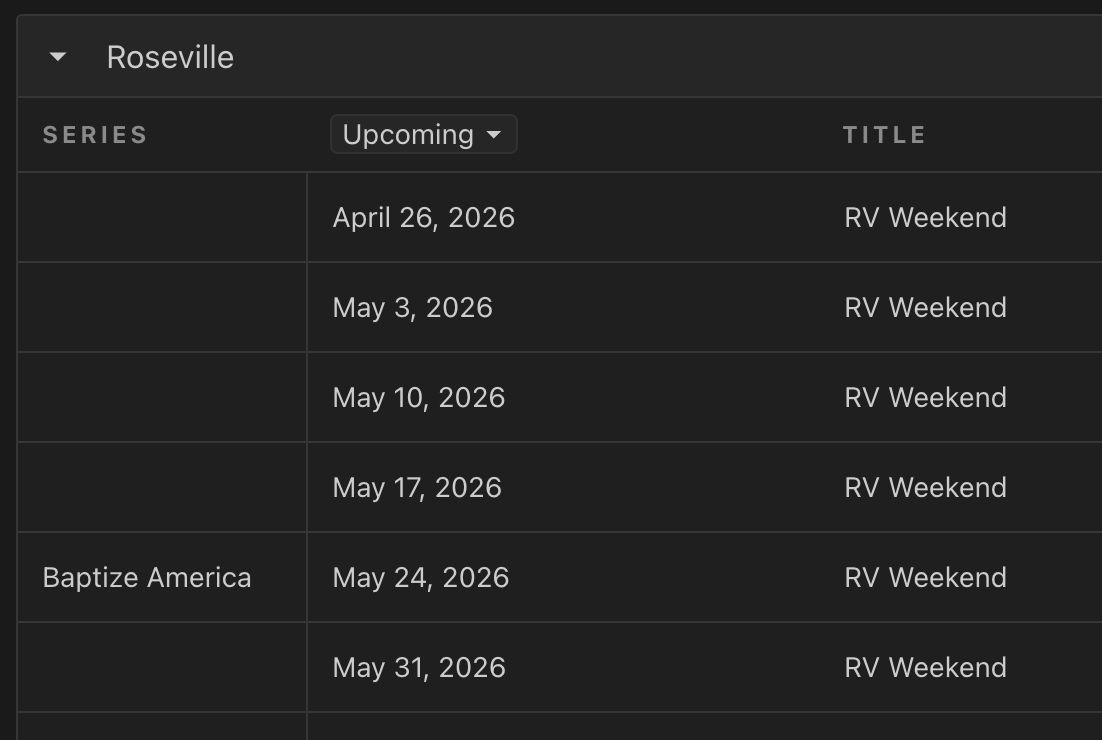
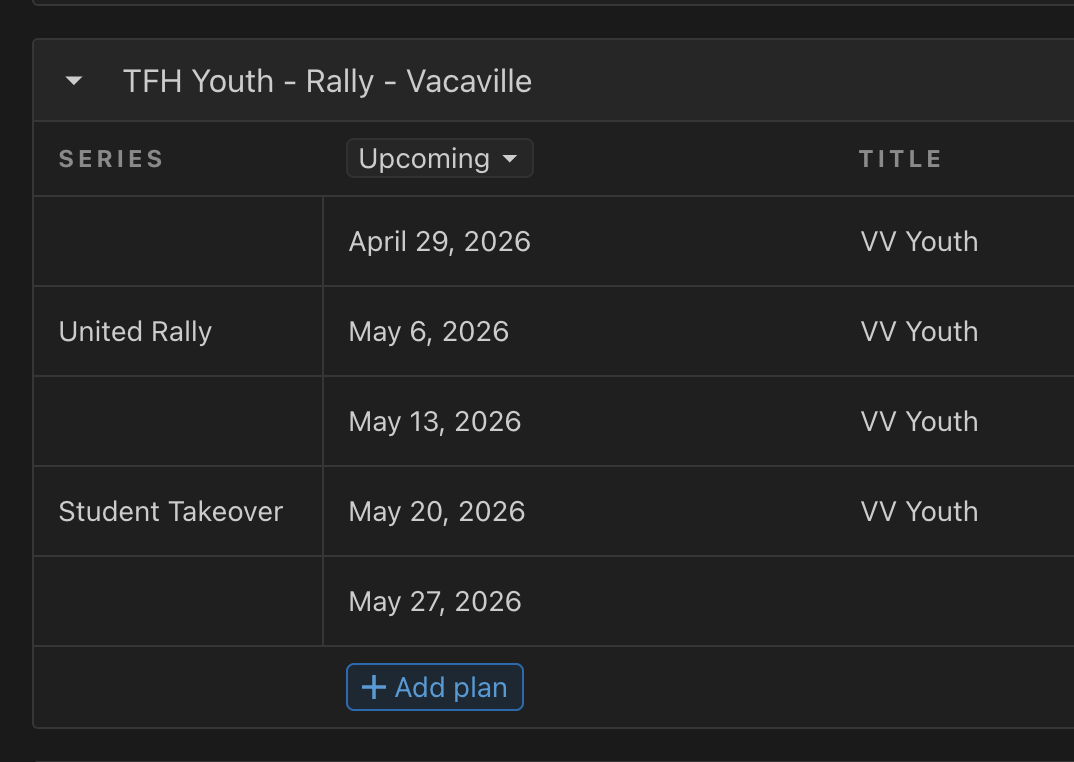
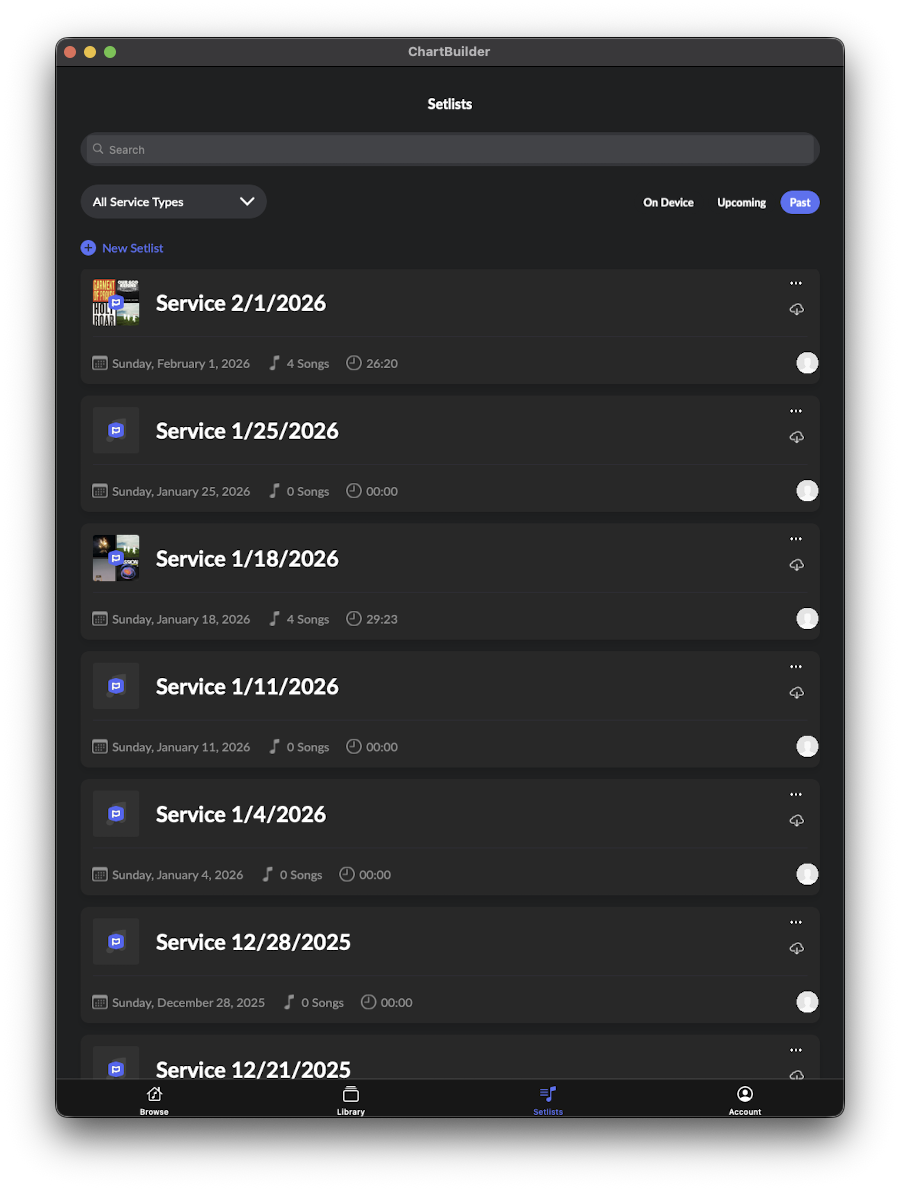
EXAMPLE OF WHY PCO NAMING IS IMPORTANT
PHOTO 1: Service Campus + Type easily identifiable.
PHOTO 2: Services are not as easily defined.
MT-Multitracks Page
MULTITRACKS WEBSITE
MT-Multitracks Page
MULTITRACKS WEBSITE
UPDATING SETLIST ON MT
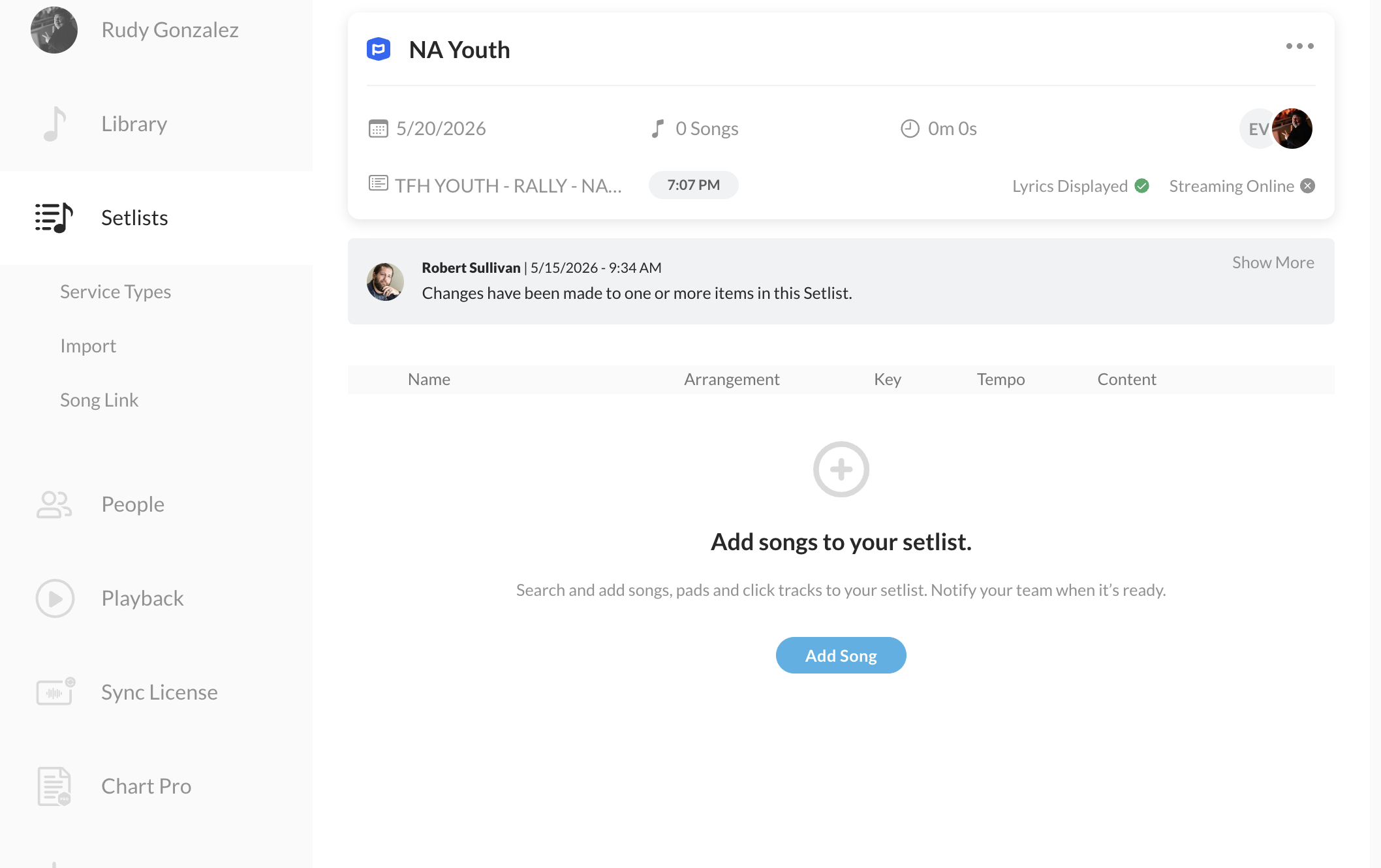
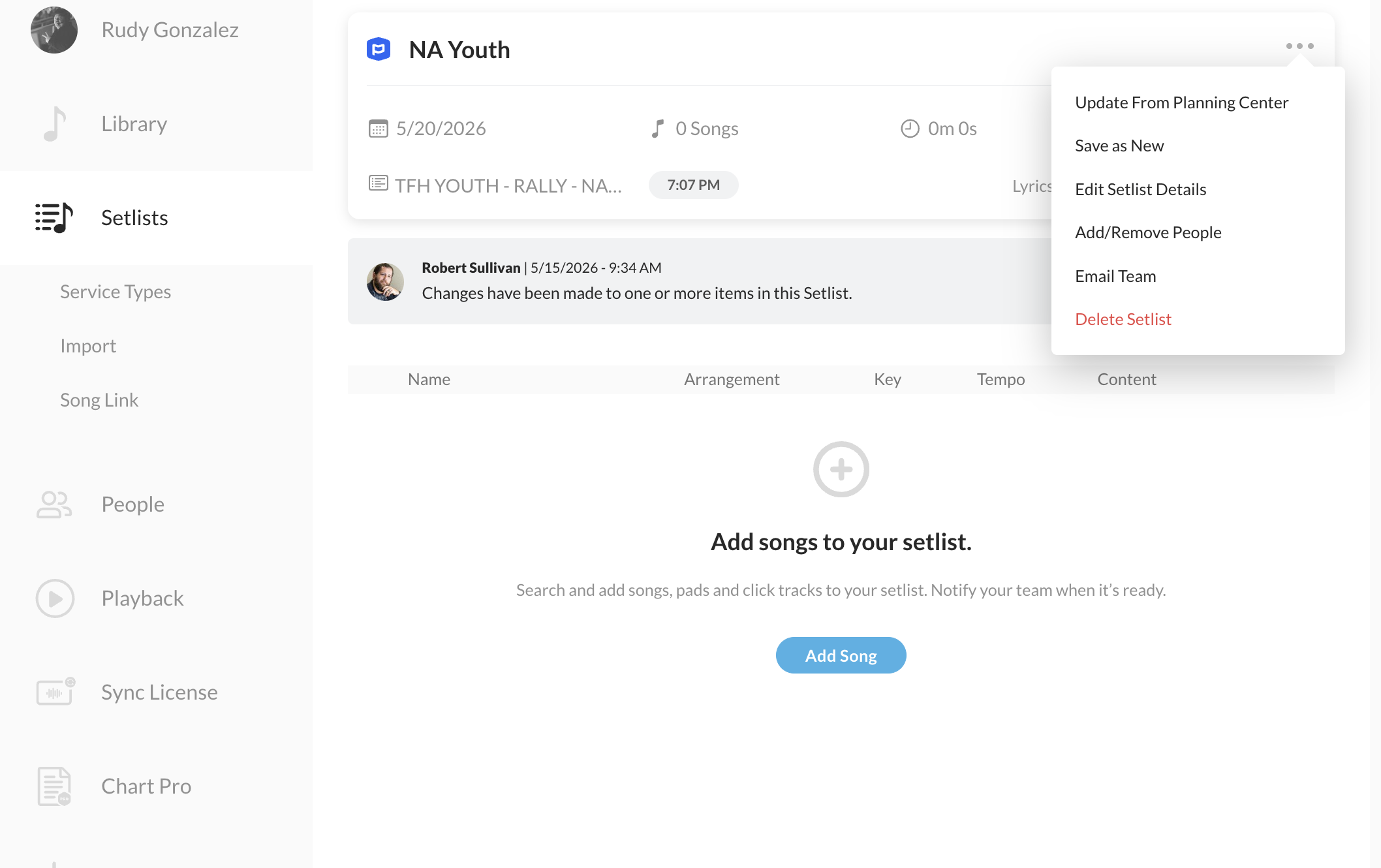
PCO Setlists need to be updated on the MT website to import songs.
Click on service.
Click on the 3 dots on the upper right.
Click update playlist
PEOPLE
In order for the band to have access to the setlists the they are assigned to they need to be added to the plan
This SHOULD happen automatically IF theyre multitracks and PCO accounts are linked.
-If not, assign here.
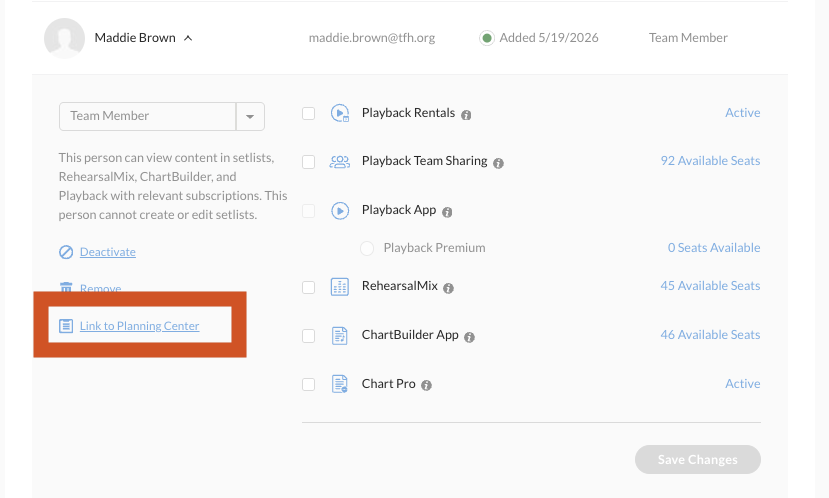
What are the permissions?
Rehearsal Mix: Allows playback of full songs and solo instruments in chartbuilder app
Chartbuilder App: Allows viewing of charts in the chartbuilder app.
These both will likely both be given to musicians.
Chart Pro: Allows for purchasing of charts (this should be Campus Admins, MD, Worship Pastors, etc.)
Campus Admins Permission: This level can edit the arrangement in Chartbuilder.
MT-Playback
MULTITRACKS PLAYBACK
MT-Playback
MULTITRACKS PLAYBACK
SONG IMPORT
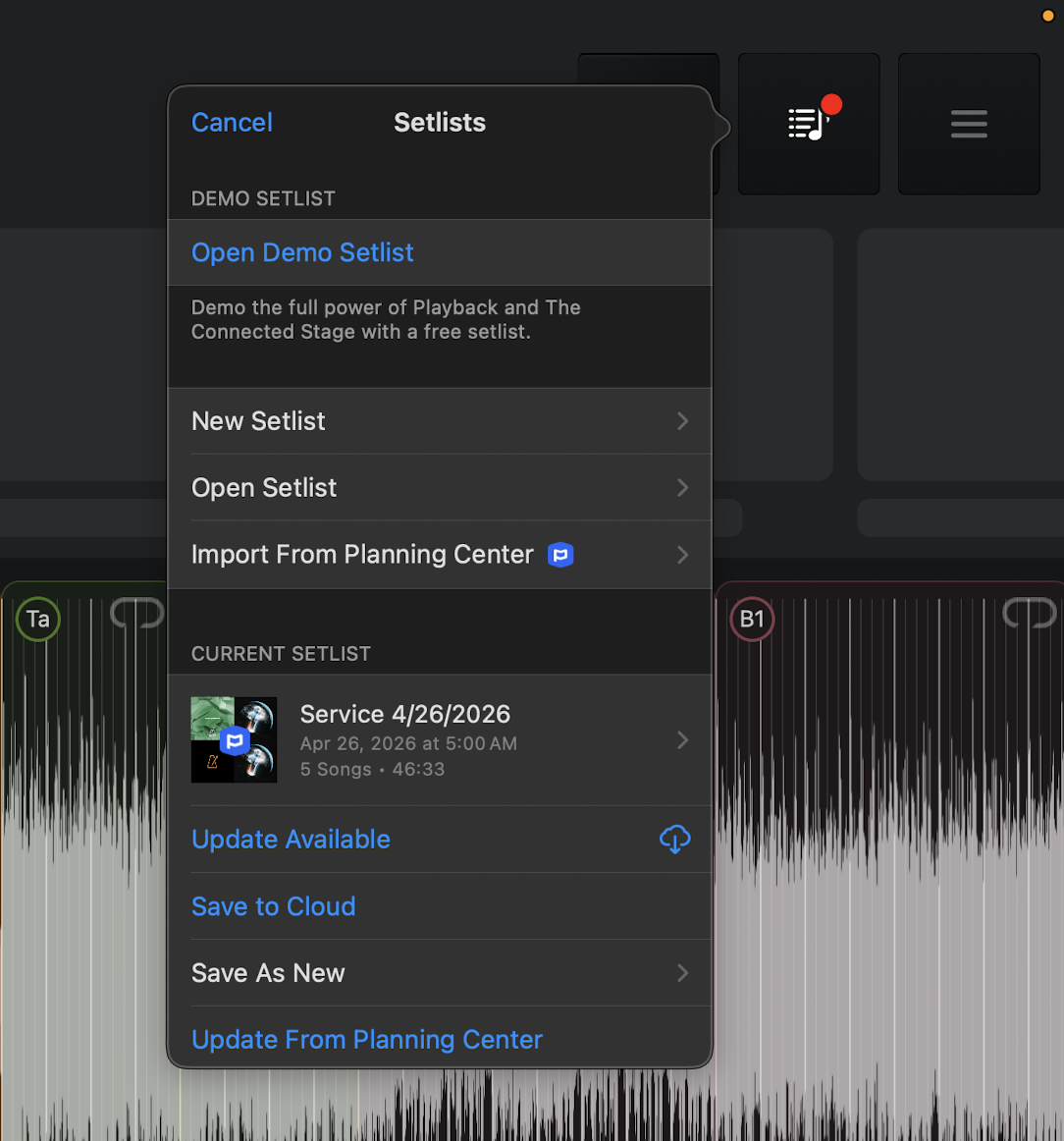
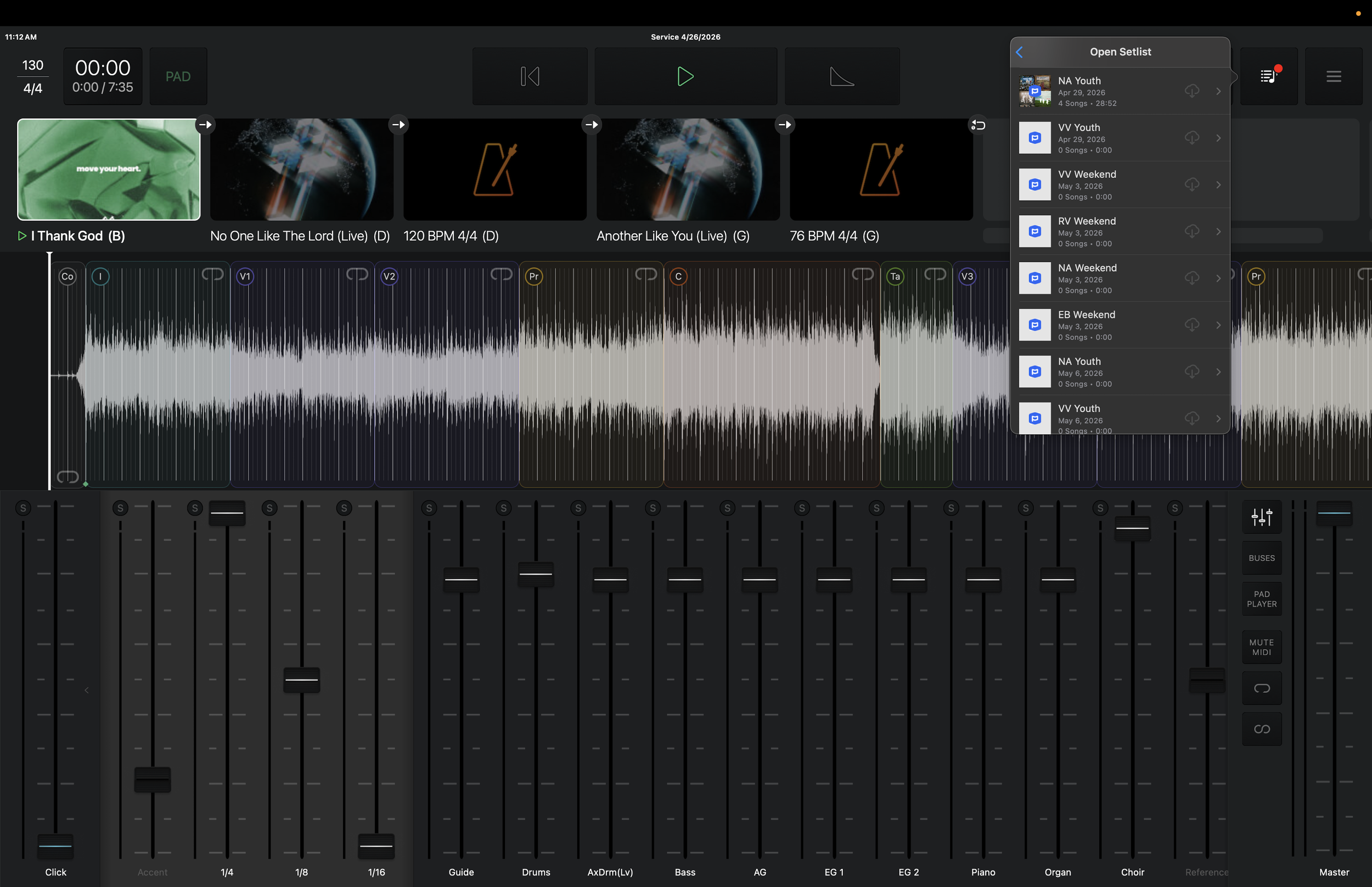
1. Click this button in the upper right
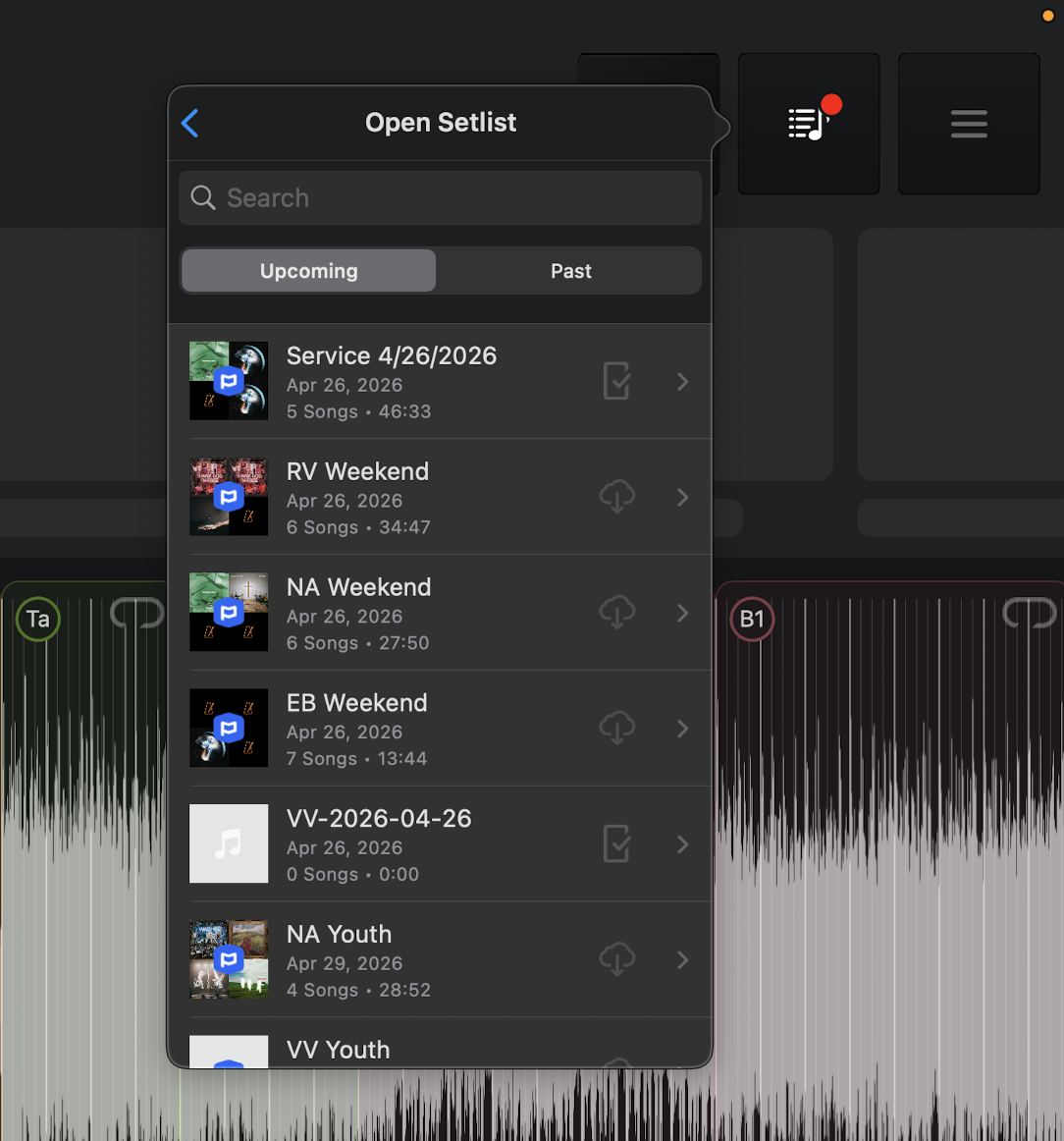
2. Click “OPEN SETLIST”
OPEN SETLIST: Setlists that have been imported and edited. ALL teams will work out of this setlist as Worship Pastors, Leaders, MDs, will edit and save arrangements to this locations.
IMPORT FROM PCO (DO NOT USE): This will import a fresh playlist that has not been preset
3. Find service, click on
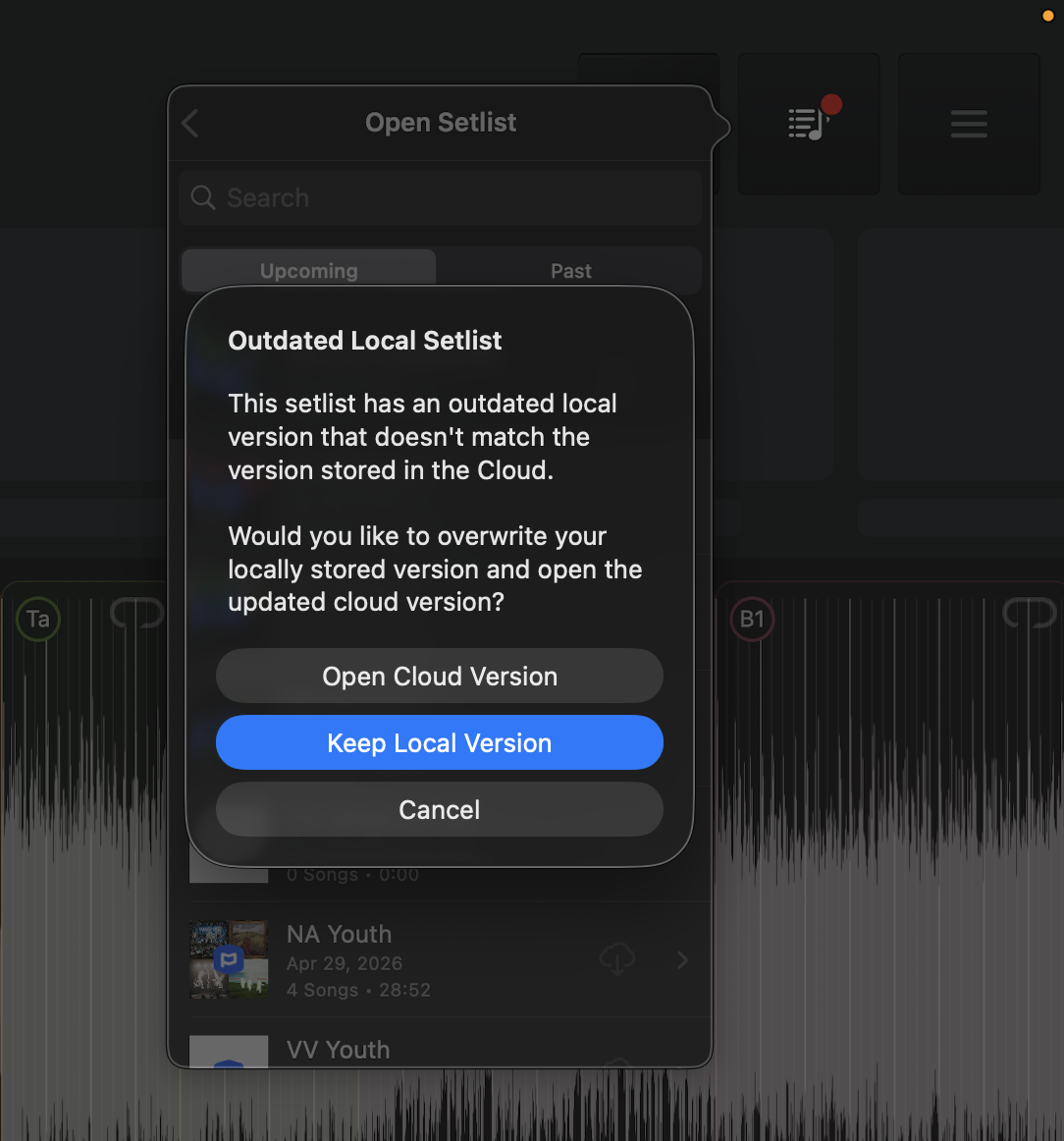
4. open cloud version
This will load the latest version from the cloud.